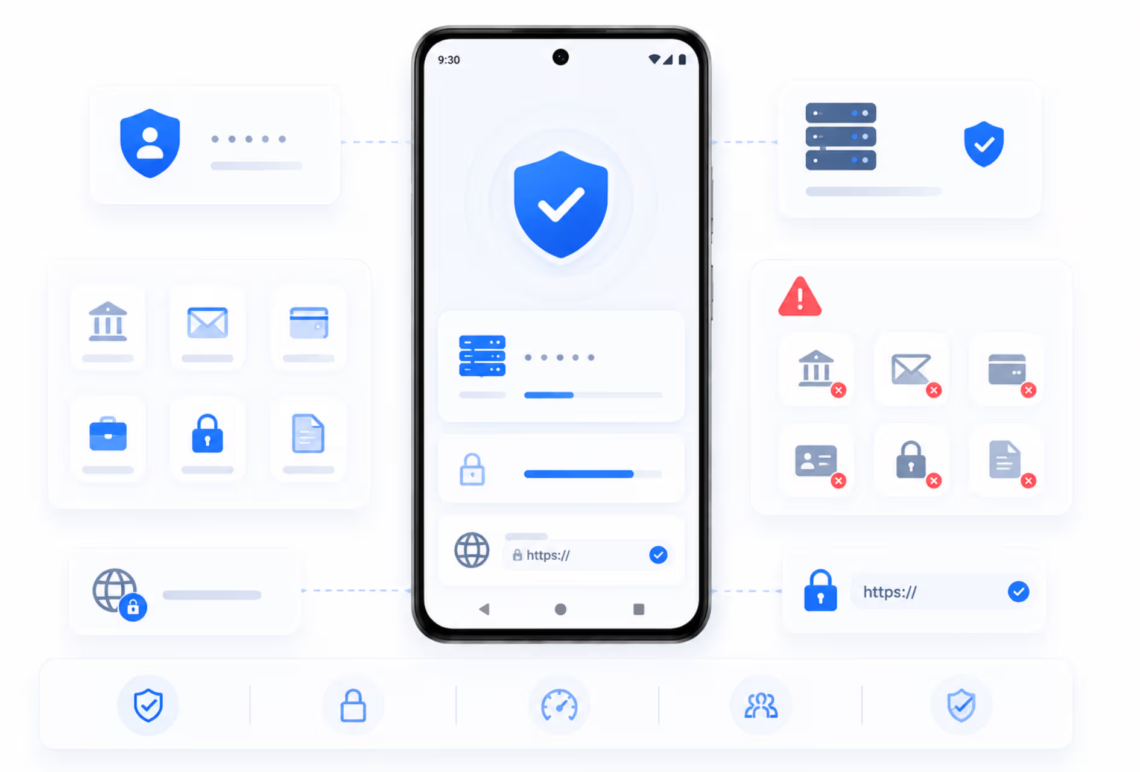
Modern smartphones handle everything from personal banking to digital marketing campaigns. As mobile data usage scales up worldwide, managing network privacy, data routing, and account security on smartphone operating systems becomes critical. Using a high-performance proxy server for Android allows individuals and businesses to transform how mobile devices interface with the internet.
Whether managing multi-account campaigns, verifying region-locked mobile ads, testing app builds, or securing Wi-Fi connections, an intermediary server gives complete control over outgoing device traffic.
What Is a Proxy Server for Android and How Does It Work?
An Android proxy server functions as an intermediary node between your mobile phone or tablet and the web destinations you visit. Under normal operating conditions, when you open an app or request a webpage, your mobile device sends a direct request via your Mobile Network Operator (MNO) or Wi-Fi Internet Service Provider (ISP). This request discloses your real IP address, approximate geographical coordinates, and device metadata.
+----------------+      +--------------------+      +--------------------+
| Android Device | ---> | Proxy Server       | ---> | Destination Web    |
| (Client)       |      | (Intermediary Node)|      | (Server/App API)   |
+----------------+      +--------------------+      +--------------------+
When routing traffic through a dedicated proxy, requests first travel securely to the proxy server. The proxy server evaluates the request, replaces your real IP address with its assigned IP address, and relays the data to the destination web server. The destination site returns data to the proxy, which then passes it back to your smartphone. This architecture ensures target applications and websites interact exclusively with the proxy address rather than your actual phone hardware or local network profile.
Standard Protocols Supported on Android
Modern Android environments support two primary proxy connection protocols:
- HTTP / HTTPS Proxies: Optimized primarily for web browser traffic. These handle web data interpretation and secure SSL encryption tunnels, making them suitable for lightweight web scraping and browser-based research.
- SOCKS5 Proxies: Operating at a lower layer without rewriting protocol headers, SOCKS5 handles low-level UDP and TCP connections. SOCKS5 proxies process all types of device traffic—including native mobile apps, automated bots, games, streaming clients, and messengers—with absolute anonymity and zero DNS leaks.
Core Advantages of Using an Android Proxy Server
Integrating a dedicated intermediary server into your mobile ecosystem unlocks several functional benefits:
                  +-----------------------------------+
                  |   Key Benefits of Android Proxies |
                  +-----------------------------------+
                                    |
     +-----------------+------------+------------+-----------------+
     |                 |                         |                 |
     v                 v                         v                 v
+----------+   +---------------+        +------------------+   +---------------+
| Enhanced |   | Multi-Account |        | Geo-Localization |   | Data Savings  |
| Privacy  |   | Management    |        | & Ad Testing     |   | & Bandwidth   |
+----------+   +---------------+        +------------------+   +---------------+
1. Enhanced Privacy and Anonymity
Public Wi-Fi networks in airports, cafes, and hotels expose mobile traffic to eavesdropping and packet inspection. Utilizing an encrypted proxy connection safeguards personal identifiers, masking your IP address from third-party monitoring entities, ad trackers, and malicious network interceptors.
2. Multi-Account Management
Social media platforms, messaging applications, and marketplace systems actively monitor incoming connections to identify multi-account operations. Running multiple accounts from a single mobile IP address frequently triggers automated anti-abuse systems, causing account suspensions or verification blocks. Assigning a distinct dedicated proxy address to each mobile profile or application instance isolates digital footprints, enabling seamless multi-accounting.
3. Regional Content Access & Location Testing
Mobile app developers and digital marketers frequently need to view mobile interfaces, localized ad placements, and region-locked content from specific geographic markets. Routing Android traffic through localized IPs simulates authentic user sessions in target countries or regions.
4. Overcoming Network Restrictions
Academic environments, corporate offices, and local network providers often apply restrictive firewalls blocking mobile access to entertainment, social media, or communications portals. A proxy server bypasses these local filtering rules cleanly, maintaining unrestricted access.
Primary Use Cases for Android Proxies
+----------------------------------------------------------------------------------+
|                              Common Industry Use Cases                           |
+--------------------------+----------------------------+--------------------------+
| Social Media & SMM       | App Development & QA       | E-Commerce & Retail      |
| Manage multiple profiles | Validate localized builds, | Monitor local pricing    |
| without triggering cross-| language formats, and geo- | and test regional storefront|
| account verification.    | targeted mobile ads.       | experiences.             |
+--------------------------+----------------------------+--------------------------+
- Affiliate Marketing & Ad Verification: Media buyers use mobile proxies to verify that mobile ad networks display correct creatives, landed pages, and targeted offers without fraudulent redirects.
- Automated Web Scraping: Developers and data analysts deploy SOCKS5 proxies on Android instances to scrape data points from mobile-only web endpoints without encountering IP rate limits or captcha challenges.
- Mobile Gaming and Botting: Online mobile games enforce strict IP connections. Dedicated low-latency SOCKS5 proxies ensure stable connections, reducing ping and enabling simultaneous multi-character management.
Step-by-Step Setup Guide for Android Devices
Setting up a proxy connection on Android requires no root access and can be configured through built-in OS tools or dedicated third-party applications.
Method 1: Configuring Proxy directly via Android Wi-Fi Settings
This method routes all browser-based Wi-Fi traffic through your selected proxy server.
1.Access Wi-Fi Settings:Prerequisite: Valid IP, Port, and User Credentials.
Open Settings on your Android device, navigate to Network & Internet or Connections, and select Wi-Fi.
2.Modify Network Properties:
Tap and hold your active Wi-Fi network connection (or tap the gear icon next to it) and select Modify Network.
3.Enable Manual Proxy Settings:
Expand Advanced Options, locate the Proxy drop-down menu, and switch the selection from None to Manual.
4.Input Server Credentials:
Enter your proxy’s Hostname/IP Address (e.g., 192.168.1.1) and the specified Port Number (e.g., 8080 or 1080). Save your configuration.
Method 2: Global App Traffic Routing (Using SOCKS5 Clients)
To route mobile cellular data (4G/5G) or force specific third-party applications through a SOCKS5 proxy, utilize specialized proxy application clients (such as SuperProxy or Dronet) available on the Google Play Store. These tools create a local tunnel routing selected application traffic securely without requiring device modifications.
Where to Buy Premium Proxies for Android: Why Choose Proxyline
While free public proxies exist online, they present severe security vulnerabilities, frequent drops in connection speed, and high risk of IP blacklisting. For reliable commercial tasks, high-speed dedicated private proxies are essential.
The industry-leading platform Proxyline delivers individual enterprise-grade proxy servers engineered specifically for high-load operations, mobile routing, and automated workflows.
+---------------------------------------------------------------------------------+
|                                Proxyline Overview                               |
+---------------------------------------------------------------------------------+
| Speeds: Up to 1 Gbps         | Protocols: HTTP, HTTPS, SOCKS5                   |
| Geolocation: 40+ Countries   | Formats: Dedicated IPv4, Shared IPv4, IPv6      |
| Rental Terms: 5 to 360 Days  | Authentication: User/Pass or IP Whitelisting    |
+---------------------------------------------------------------------------------+
Core Advantages of the Proxyline Platform
| Feature Feature | Technical Advantage | Practical User Benefit |
| High-Speed Infrastructure | Connections reach up to 1 Gbps speed limits. | Smooth mobile video streaming, fast page loads, and zero lag during scraping sessions. |
| Dual Protocol Support | Native support for HTTP, HTTPS, and SOCKS5 on all IPs. | Complete compatibility with Android Wi-Fi settings, SOCKS5 app clients, and mobile scrapers. |
| Global Geolocation | Extensive pool spanning 40+ countries and numerous subnets. | Precise geo-targeting capabilities for global social media management and ad verification. |
| Strict Privacy Guarantees | Dedicated individual IPv4 and IPv6 addresses issued exclusively to one user. | Prevents cross-contamination bans caused by other users on shared IP ranges. |
| Instant Provisioning | Automated account control panel with API integration options. | Instant access to IP pools immediately upon transaction processing. |
| Unlimited Traffic | Fixed pricing per proxy address without bandwidth limits. | Cost predictability without worry of per-gigabyte overage charges. |
Final Thoughts
Configuring a proxy server for Android bridges the gap between everyday mobile convenience and professional network management. By masking your actual device credentials, providing granular location control, and ensuring complete data isolation between applications, proxies serve as an essential foundation for digital privacy and commercial automation.
When selecting a proxy provider, performance stability, bandwidth limits, and IP independence are paramount. Proxyline delivers high-speed IPv4 and SOCKS5 solutions tailored for Android setups, giving you complete stability and peace of mind across all your mobile operations.